Real output
What comes out the other side.
Every image below is the tools' actual output, run on a demo proof for a made-up brand.
Your distributor sends a proof PDF. Your equipment needs something else entirely. PressReady does that conversion in seconds instead of by hand in Illustrator, and it does it the same way every time.
It shows the art on a tilted product render, at the wrong scale, in the wrong colour space, with the imprint area drawn as a dashed box nobody can select. Getting from that to a file your press accepts is manual work, and it happens on every single order.
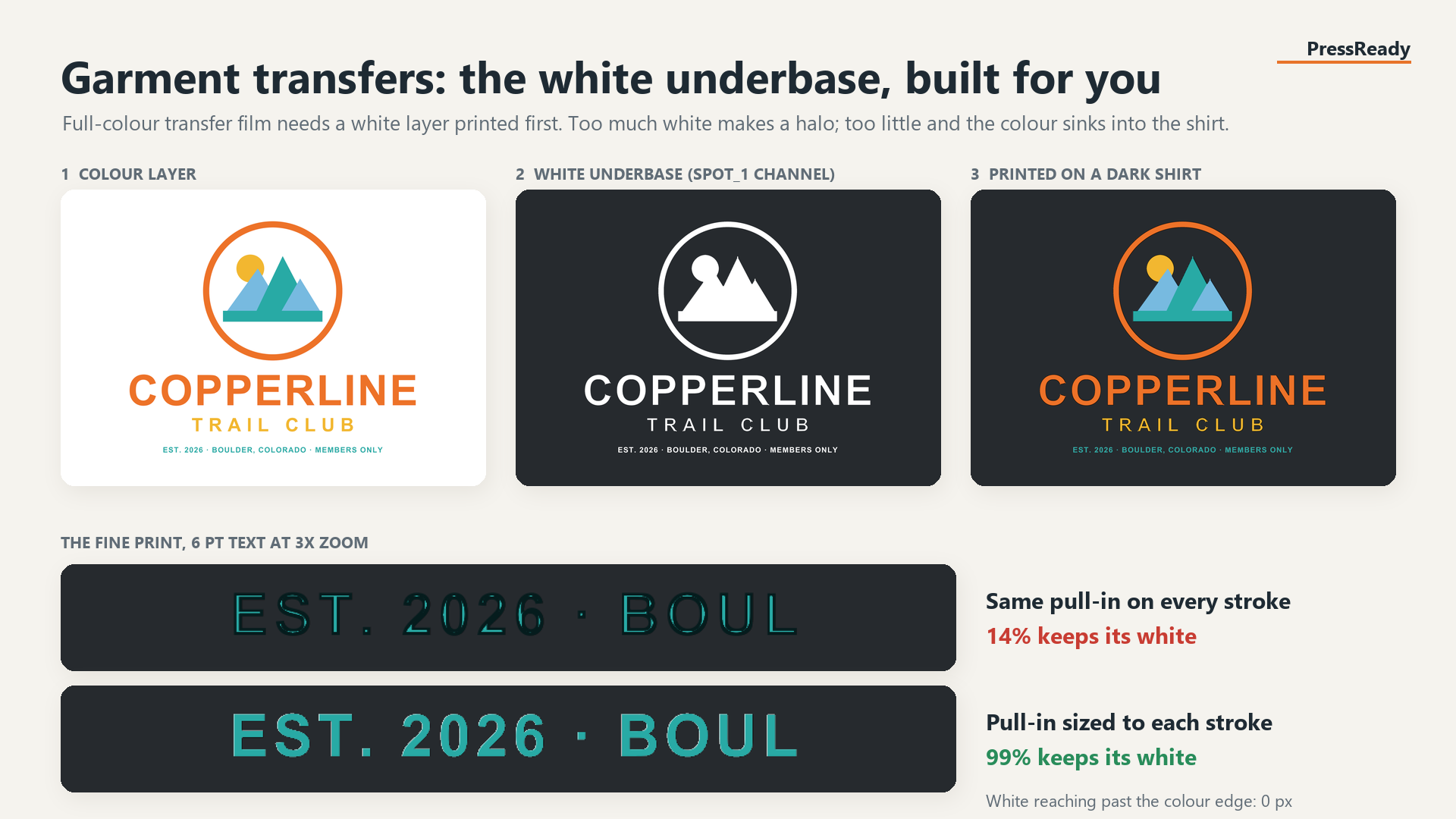
A layered TIF at 700 DPI with an unlocked art layer over an RGB composite, plus a named spot channel your RIP already understands. The white underbase is choked so it cannot halo past the colour.
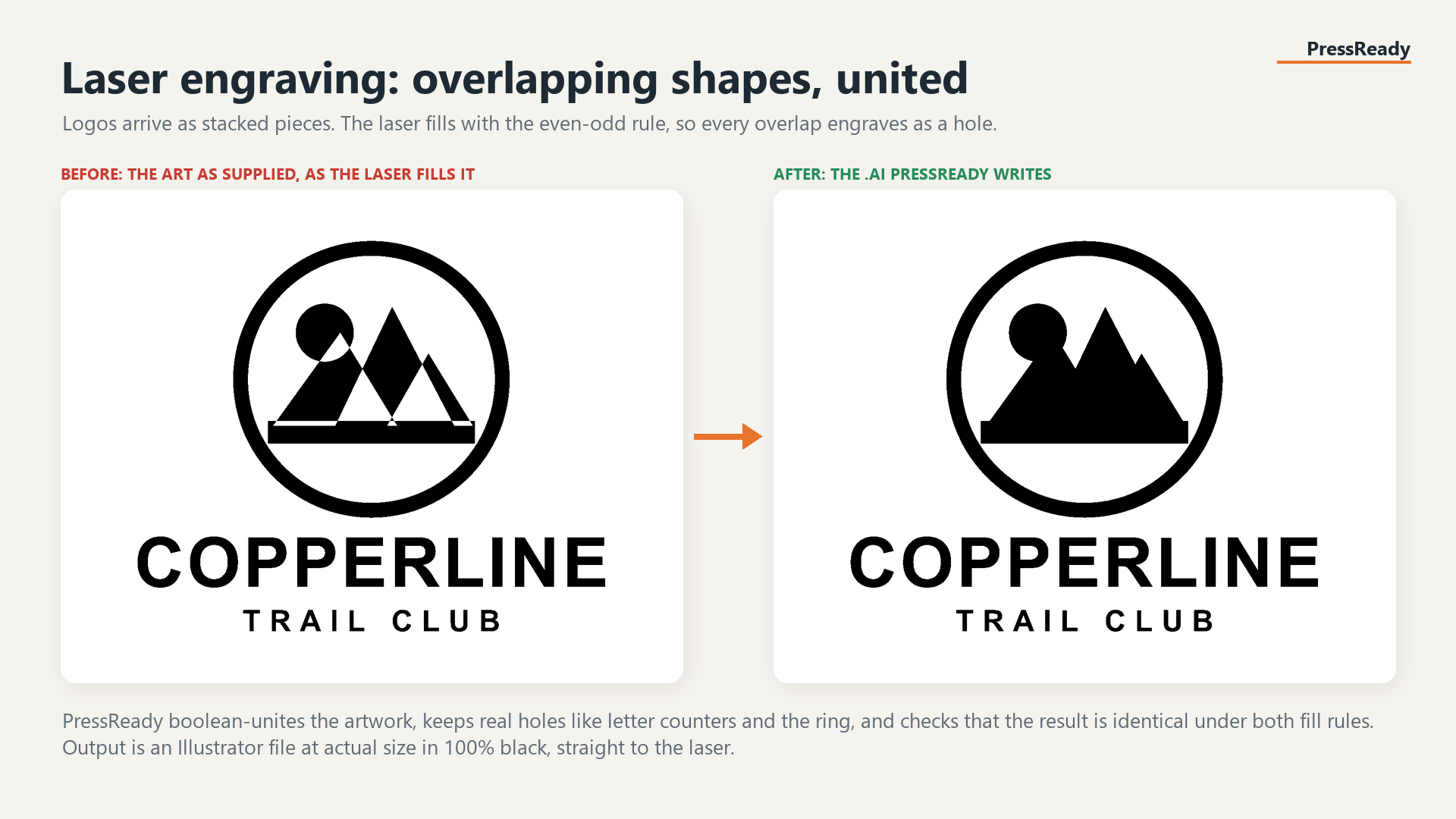
Clean vector at 1:1 scale with every shape converted to 100% K black, written as the legacy Illustrator format engraving software actually ingests. Background panels and white fills are dropped, since a laser never marks them.
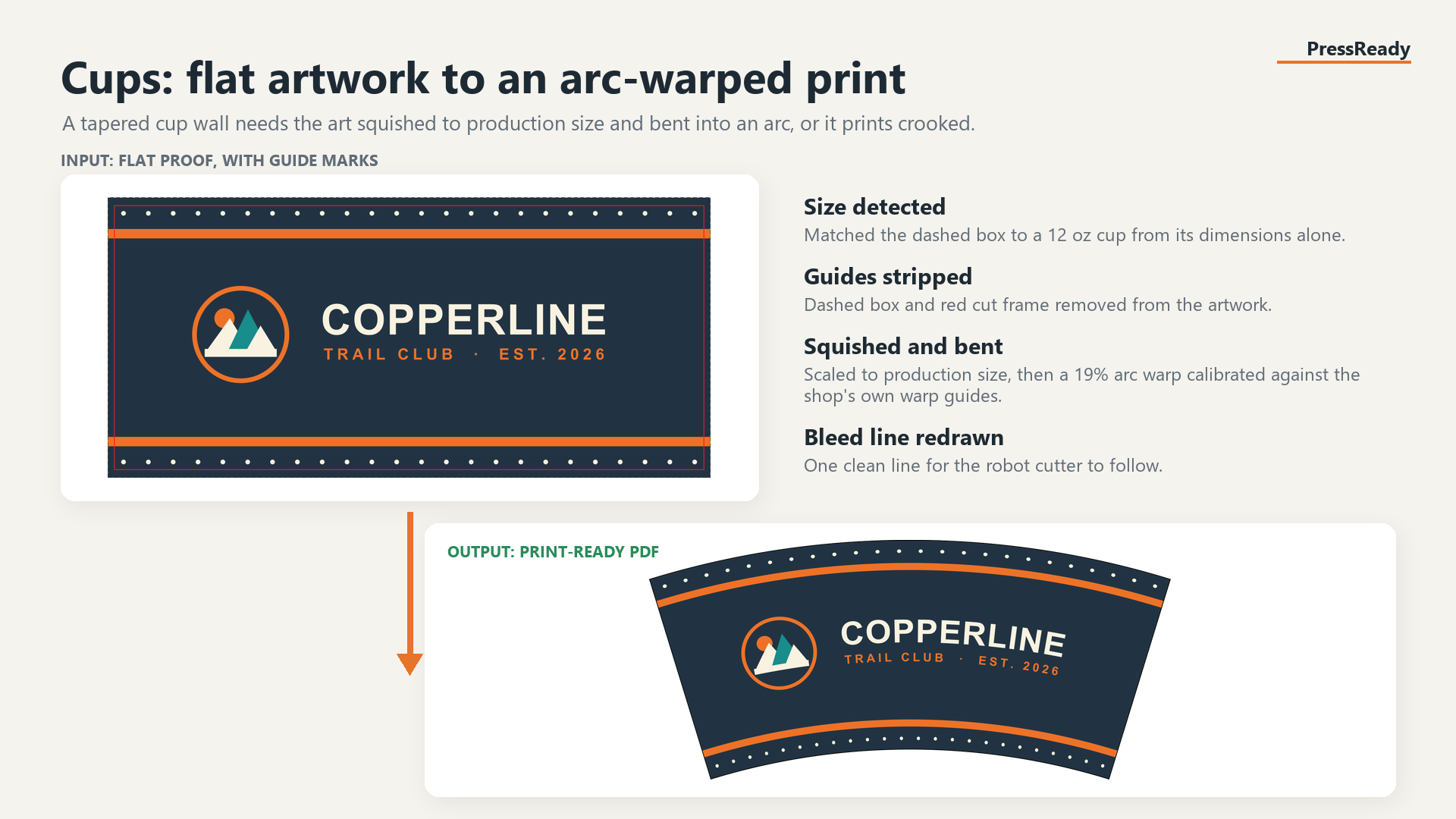
Flat art pulled from the bleed box, squished to production size, then arc warped so it prints straight on a tapered wall. Calibrated against real cup warp guides, with the cutter line redrawn.
Every image below is the tools' actual output, run on a demo proof for a made-up brand.
The hard part was never the export. It was finding the imprint area reliably across every layout a distributor invents, including the ones where the same box appears twice.
Dashed borders, solid stroked rectangles, and separate hundred percent artwork pages are all recognised.
Proofs repeat the imprint box on the tilted product render, where it is skewed into a parallelogram. Picking that one is what makes art come out crooked, so only boxes square to the page survive.
Background panels standing in for product colour, and fills close enough to white to be page rather than ink, are left behind.
Spot channels, choked underbase, pure K vector, or an arc warp, depending on where the job is headed.
One price with no per seat maths and no file counting. If a proof layout ever shows up that we cannot read, send it over and it gets added.
PressReady is in early access. Shops are being onboarded one at a time, starting with a demo on your own proofs.
Email a proof that gave your art department trouble, and we will run it on a call with you.